
Applying HyperStore Patches
Instructions
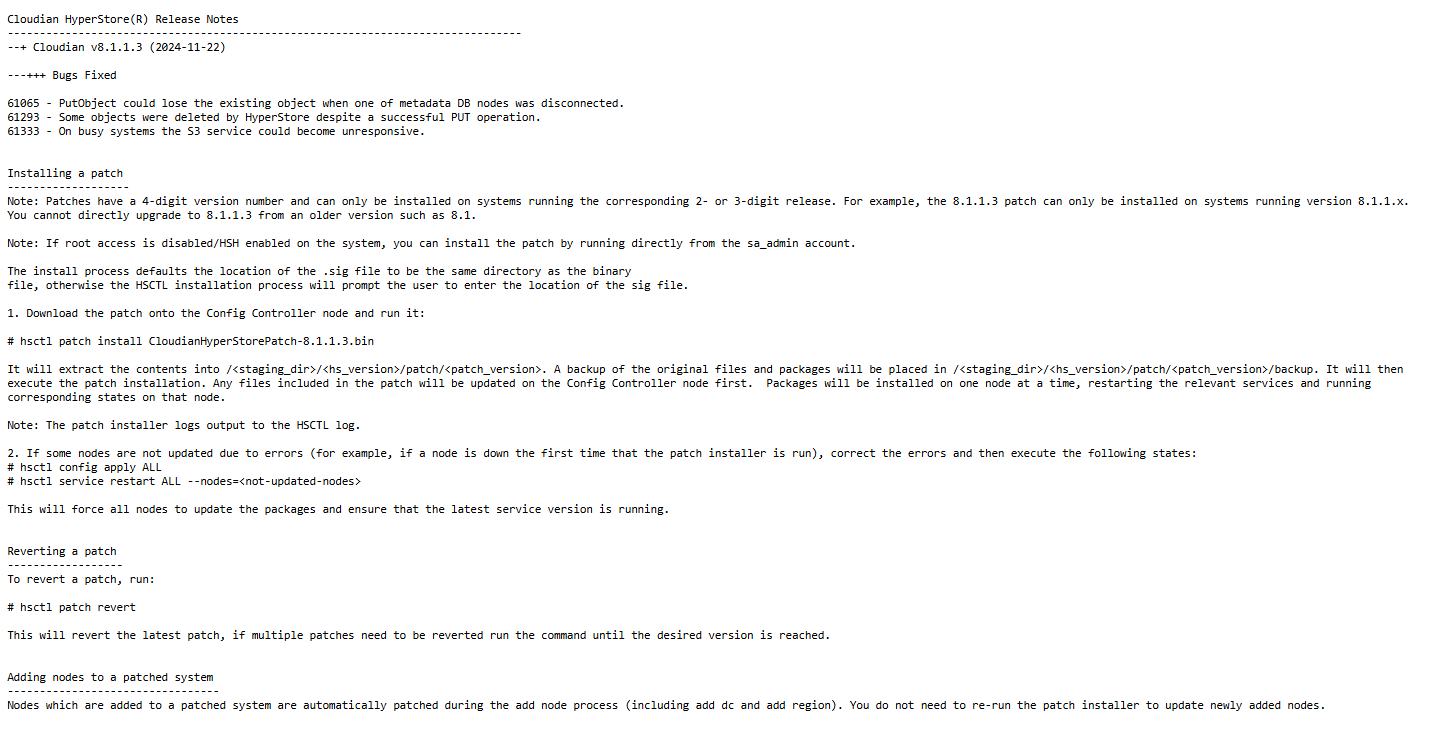
- Before we perform any Patch upgrade to a HyperStore system, we must first read the release notes. These are available from the same source supplying the patch software
- In our case we assume that the Patch is required and will proceed to patch our system
Instructions
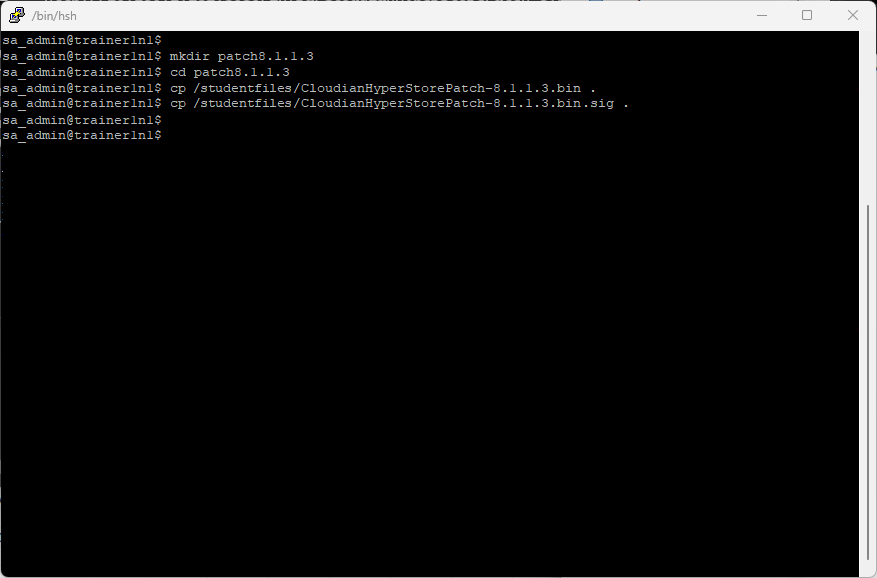
- Login to your config master node as sa_admin
- Create a new directory called patch8.2.5.1
- Download the 8.2.5.1 patch and signature files
mkdir patch8.2.5.1
cd patch8.2.5.1
cp /studentfiles/CloudianHyperStorePatch-8.2.5.1.bin .
cp /studentfiles/CloudianHyperStorePatch-8.2.5.1.bin.sig .
Instructions
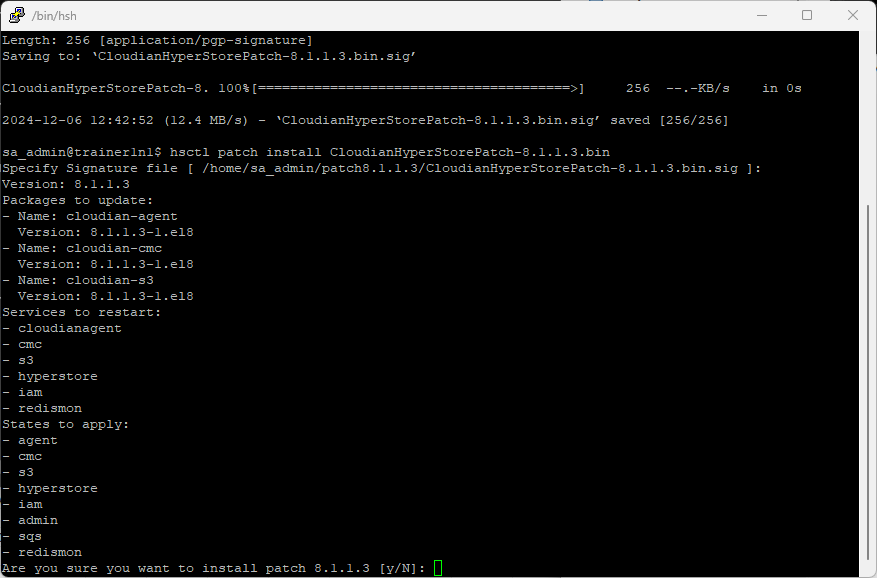
- Apply the patch using hsctl
hsctl patch install CloudianHyperStorePatch-8.2.5.1.bin - Accept default signature file by pressing ENTER
- You will be asked if you sure you want to install patch 8.2.5.1 [y/N]:
y
Instructions
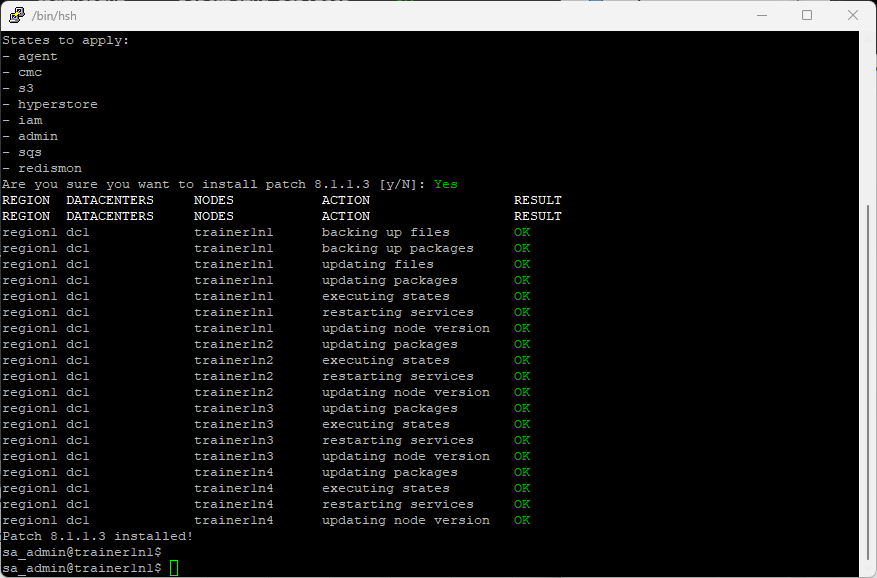
- Monitor the patch deployment to ensure there are no issues that need resolving
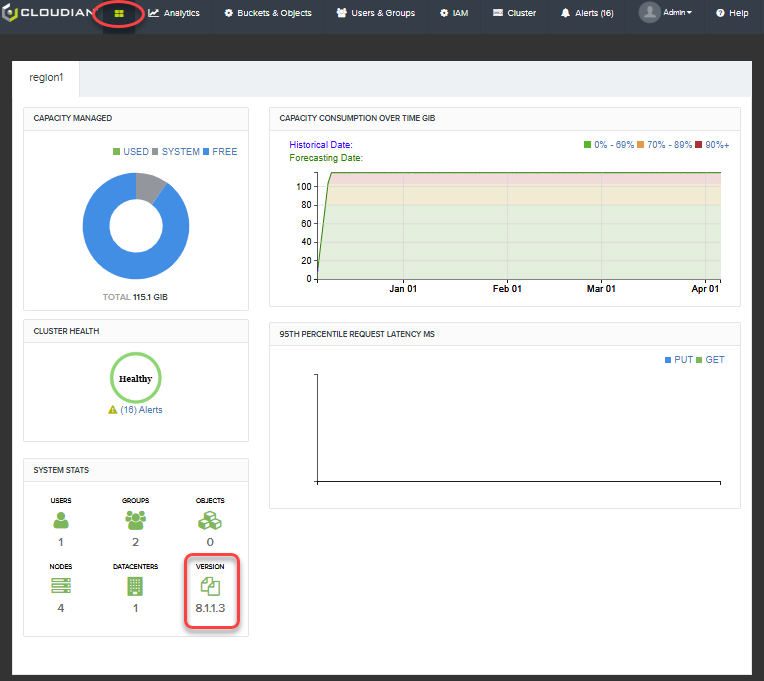
Instructions
- Log back into the CMC to confirm the patch is demonstrated as the new HyperStore Version